From Sketch to Simulation: How Students Can Turn Interior Concepts into VR Walkthroughs
Every interior design student knows the moment.
Three weeks of work pinned to a wall. A floor plan you redrew four times. A mood board you stopped fiddling with at one in the morning because if you looked at it any longer you'd tear it down entirely. Rendered elevations that took longer than you want to admit. A colour palette you actually feel good about, which is rarer than it sounds.
You step back. Your professor tilts their head. Studies it for a beat.
“I can't quite picture it.”
The work is there. All of it is there. The vision just isn't making it across the room.
This gap — between what a designer sees clearly in their own head and what anyone else can reconstruct from a stack of flat drawings — is one of the oldest problems in design education. It has been around as long as design education itself. Not because designers can't communicate. Because paper cannot hold space. It was never built to.
VR is finally offering a real way to close it. And for the first time, students can access that technology without a professional studio behind them, an expensive licence, or years of 3D modelling experience they haven't had time to build yet.
The traditional design presentation hasn't changed much in decades.
You produce drawings. You render views. You build a physical model if you have the time and the foam board budget. Then you stand beside all of it and talk — filling in with words what the medium refuses to carry on its own. The critique becomes a verbal exercise. You, translating. Constantly translating.
Scale is almost always the first casualty. A 3.2-metre ceiling and a 2.4-metre ceiling look identical on a page. A corridor that would feel tight and suffocating in real life reads as a perfectly reasonable line on a plan. People approve spaces they would physically reject if they could walk through them first. Then comes the revision cycle — expensive, demoralising, and entirely preventable.
That last part is the one that stays with you.
Spatial preview tools have existed in the professional world for a while. Platforms like Enviz, SENTIO VR, and Matterport let architects and interior designers generate walkable virtual environments from their models.
The problem is that each one sits behind a barrier — technical, financial, or both. Enviz needs an existing SketchUp or Revit file and a subscription. Matterport needs scanning hardware you have to buy or rent. SENTIO VR wants a specific model pipeline most students aren't running.
For a second-year student on a borrowed laptop with a student licence, none of that is realistic.
The tools built to solve the imagination gap are priced for people who already have the resources to work around it. There is something almost unkind about that, if you sit with it long enough.
What changed the whole equation is the browser.
The WebXR Device API — supported natively in Chrome and the Meta Quest Browser — lets a webpage request a fully immersive VR session on a connected headset. No app to download. No executable to install. No platform approval to wait on. A single HTML file served over HTTPS can take someone from a flat screen to standing inside a room.
Three.js, an open-source JavaScript library, handles the 3D rendering underneath. Together, the two make it possible to build a working VR viewer that runs on a Meta Quest, an Android phone, and a laptop — all from one file that costs nothing to host and nothing to use.
The practical workflow now looks something like this.
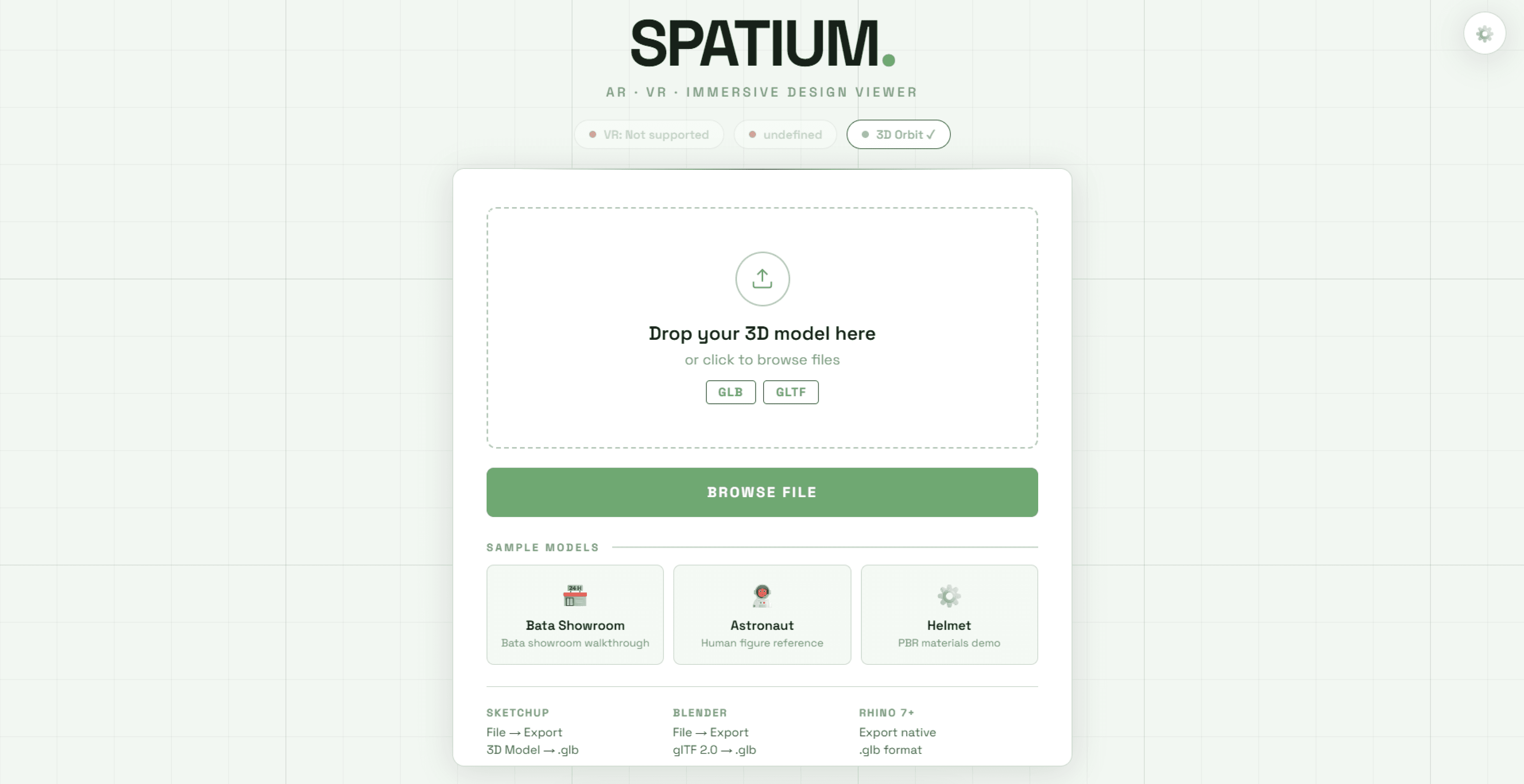
Model the space in SketchUp or Blender. Export it as a GLB file — a single compressed package that bundles all the geometry, materials, and textures together. Upload it to a WebXR-enabled viewer. The model loads, scales itself, and drops the camera at the entrance at roughly eye height.
On a desktop, you can orbit the space and inspect it. In walkthrough mode, arrows appear on the floor — forward, back, left, right — click one and you move. On a Meta Quest, you physically turn your head to look around, aim the controller at a spot across the room, and you're there.
The ceiling height that was impossible to judge on a plan becomes immediately, almost physically obvious. The sofa either fits in the space or it doesn't. There is no ambiguity left. No translation required.
This matters beyond convenience.
When a student can actually walk a reviewer through a space instead of explaining it, the critique shifts. It becomes about the design — not the translation of the design. A faculty member who steps into a virtual room and immediately feels that the kitchen is cut off from the dining area is giving feedback rooted in real spatial experience. Not their ability to read a technical drawing.
That is a completely different kind of feedback. A much more useful one.
The student walks away with notes they can act on, because both of them are finally working from the same understanding of the space. Revisions get shorter — not because the technology is impressive, but because the misunderstanding has been removed from the process entirely. That is what good tools do. They don't add noise. They take it away.
There are real limitations. Being honest about them is part of learning to use any new tool well.
WebXR's AR mode needs Android Chrome with ARCore installed. iPhones handle AR through Apple's Quick Look and ARKit, which behave differently. Older devices can struggle with complex models, so polygon counts and texture sizes need to stay sensible. Models have to be exported as GLB or GLTF, which adds one step to a workflow that used to end at a PDF.
None of that is a dealbreaker. They're constraints. And constraints have a way of sharpening how you think — understanding why a model needs to be optimised for a mobile GPU isn't entirely different from understanding why a wall section needs to be drawn to a buildable spec. The medium teaches its own rules if you pay attention.
What's genuinely new is where the barrier sits now.
It is no longer the cost of software. Not the expertise required to run a rendering pipeline. What remains is a file export and a shared link. For students already building 3D models as part of normal coursework, this is an addition — not a new discipline to learn from scratch.
The sketch that used to become a render can now become a room someone walks through.
The floor plan that used to stay flat can be experienced at 1:1 scale before a single material is purchased or a single wall is built.
The imagination gap in design education has always been a resource problem dressed as a communication problem. The resource was access. Access to spatial simulation technology at a cost and complexity that kept students outside it, looking in.
That access now fits inside an HTML file.
Opens in a browser tab.
The question is no longer whether students can build immersive design presentations.
It's whether design education will decide to expect more — now that more is finally possible.

FAQs
© 2026 Pratyaksha Shukla — crafting stories in pixels and prose