SPATIUM.
A WebXR Experience
Project Overview
Concept:
Interior design students can present their concepts through XR by turning simple floor plans or sketches into walkable 3D spaces that can be experienced in real time. Compared to static drawings or laptop-based views, this makes presentations far more immersive, allowing viewers to understand scale, layout, and atmosphere more intuitively.
Enabling interior design students to seamlessly visualize and experience their 3D models at real-world scale through intuitive, browser-based AR and VR interactions.
Primary Design Focus:
Key Inspirations
Enviz
Matterport Walkthrough
IKEA Kreativ


Every design student knows this moment. Scale is untranslatable in 2D.
The Translation Problem
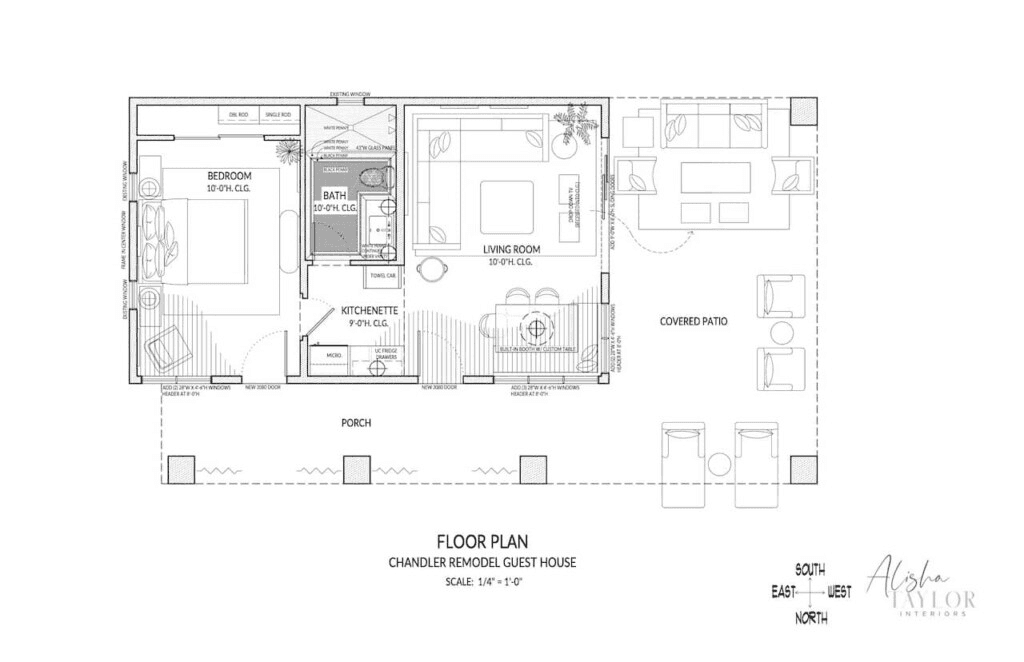
A 3.2-metre ceiling reads identically on paper to a 2.4-metre one. A corridor that feels oppressively narrow at 900mm looks perfectly reasonable as a line on a floor plan. Reviewers approve spaces they would physically reject if they could walk through them first.
This project is not a replacement for any existing design workflow. It exists purely as a creative aid — giving students a clearer sense of their own space before, during, and after the design process.
Note:
Secondary Research
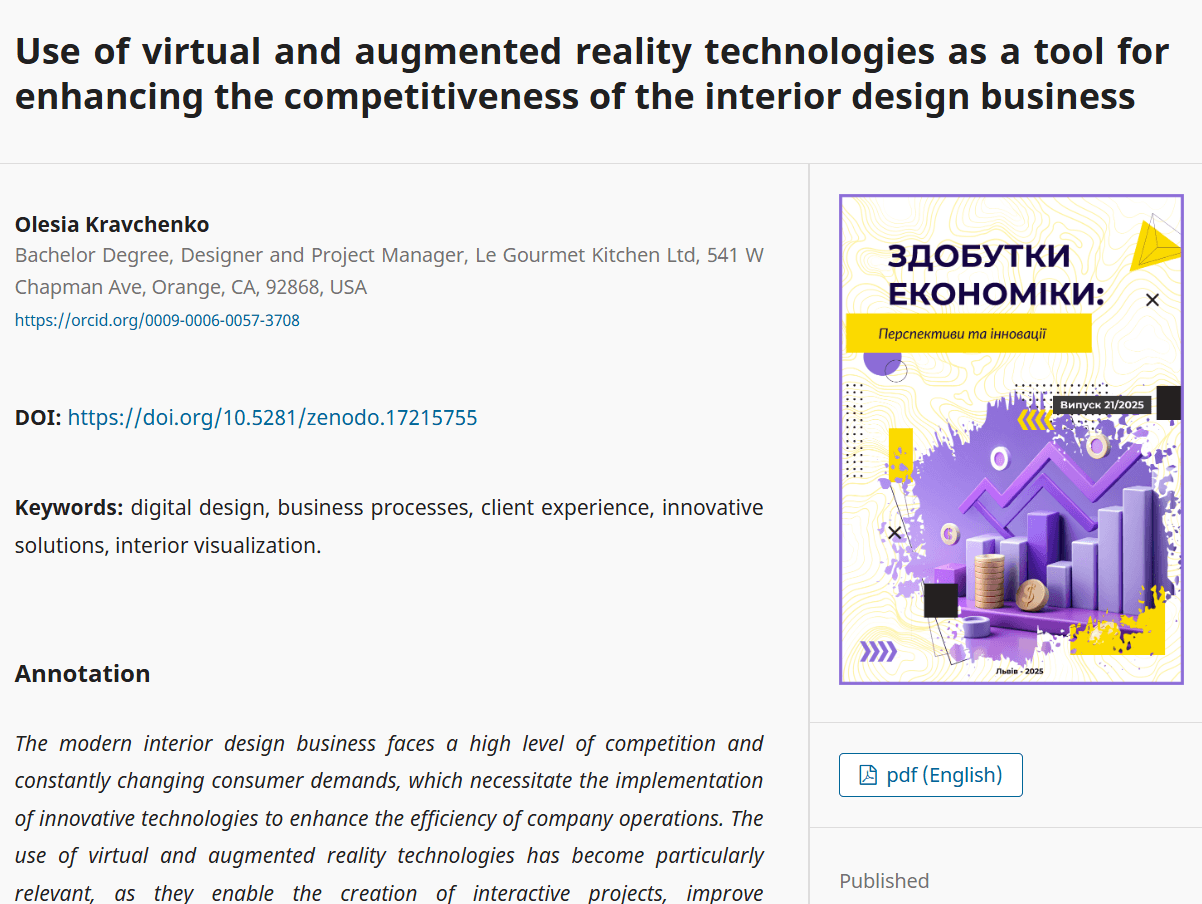


Three papers grounded the secondary research. The first explored AI-driven XR systems for immersive interior visualisation. The second reviewed extended reality across design curricula, finding consistent improvements in spatial comprehension and student outcomes. The third examined VR and AR as competitive tools in professional interior design — collectively confirming that immersive preview meaningfully improves spatial decision-making.
The market has tools — behind barriers students can't cross.
Competitive Landscape
Tool
Enviz
Sentio VR
Matterport Walkthrough
Requires SketchUp or Revit integration; enterprise pricing from $15–65/month; aimed at professional studios
Heavy client setup; requires access codes; slow collaboration flow; no quick-share option
Requires physical 3D scanning hardware; not compatible with CAD-exported models
Barrier
Themes, Barriers and Observation
Primary Research
5
Interviews
1
Contextual Observation
20
Responses to Survey
“I spend three weeks building it and thirty seconds showing it."
100% of students used screenshots/screen recordings for presentations
90% would use a browser-based tool if no install was required
Who is this for?
User Persona
Sadhana
3rd Year Interior Design Student
Tools
Sketchup, AutoCAD, Occasionally Blender
Devices
Mobile, Access to VR headsets
Frustrations
Can't tell if a room proportion feels right until it's fully modelled
and by then, too much work has been done to easily change it
Goal
View a walkable version of her space under 2 minutes
Motivation
She doesn't want to learn a new tool; she wants her existing workflow extended

01
Design Decisions
The room is the interface.
Every mode disappears when inside the space. UI chrome is noise until the user needs it.
02
Any device, one link.
Phone, laptop, VR headset — all from a single HTTPS link. No install required.
03
Zero expertise on the viewer side.
The reviewer navigates fluently having never seen the tool. No instructions given.
04
The export step cannot be the barrier.
GLB from SketchUp is the only technical requirement. Nothing else from the student.
Introducing: SPATIUM.
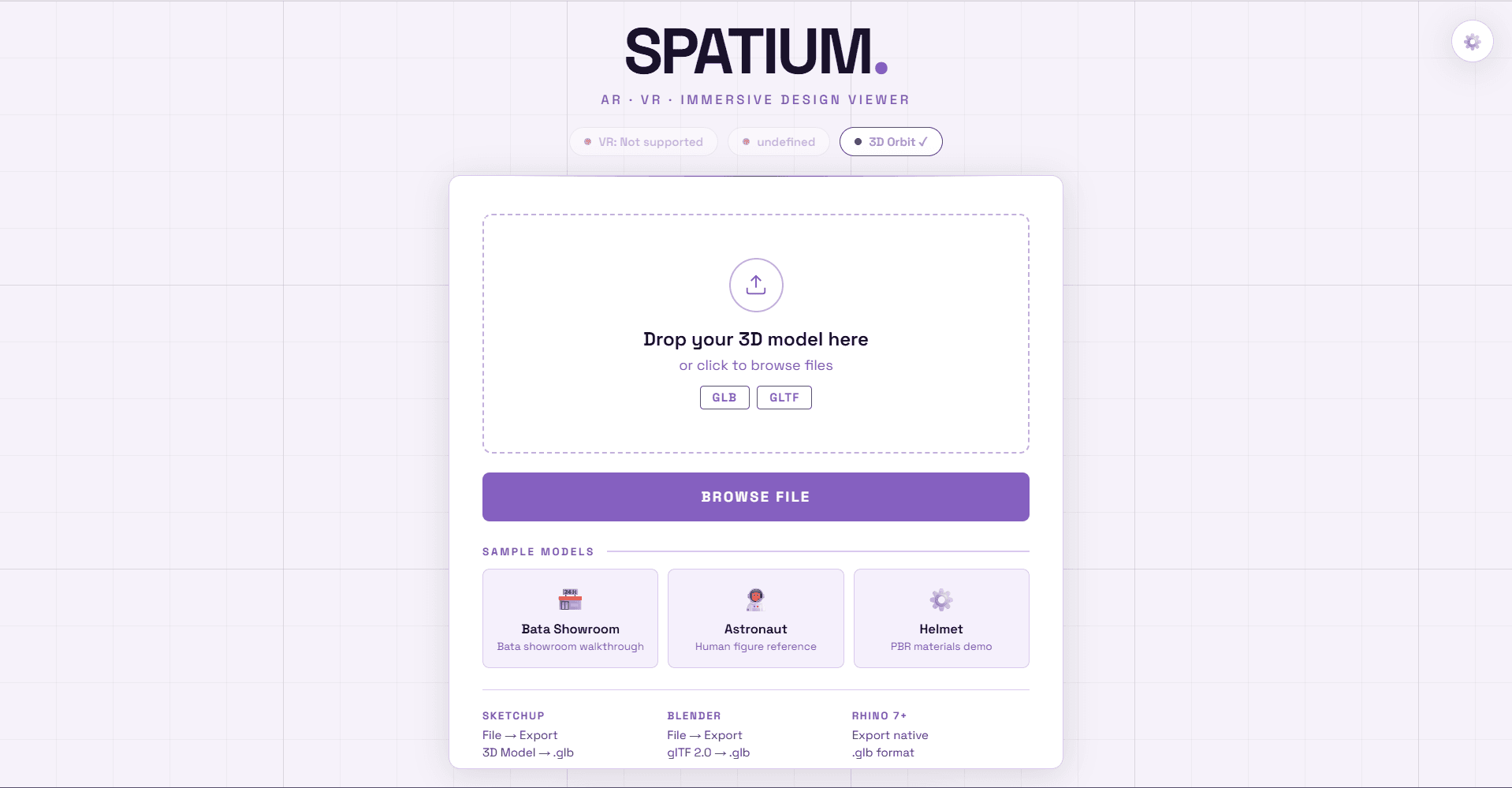
SPATIUM is a WebXR design viewer built for interior design and architecture students. It allows a designer to export any 3D model as a GLB file from SketchUp or Blender, upload it via drag-and-drop, and immediately walk through it in 3D — on a laptop, a phone in AR mode, or a Meta Quest VR headset. No app installation, no account, no enterprise software. One HTML file, one shared link.
https://spatium-webxr.netlify.app

Technical Architecture
Component
3D Engine
Model Loading
VR Controllers
Typography
Hosting
Three.js r168 — scene graph, WebGL renderer, XR session management
GLTFLoader + DRACOLoader (Google) — compressed GLB support
XRControllerModelFactory — renders Quest Touch controllers accurately
Space Grotesk (Google Fonts) — the only external dependency
Netlify Pages — free HTTPS hosting, required for WebXR
Technology & Role
Failures & Errors
01
V1 model-viewer
– Basic file upload and drag-and-drop
– AR mode on mobile (iOS Quick Look + Android Scene Viewer)
– No VR mode, no walkthrough, no floor navigation
– Model rendered as an orbit viewer — you rotate around it, not inside it
Problem: No way to get inside the model. Scale was still lost. A rotating exterior view doesn't solve the core problem.
02
V2 Three.js + A-Frame hybrid
– Added VR mode via A-Frame's entity system
– Orbit controls for desktop, VR toggle for Quest
– Mode tabs: 3D Orbit / Walkthrough / Plan View
– Controller teleportation attempted
Problem: A-Frame's overhead produced unacceptable performance on Quest — frame drops below 40fps. A-Frame's abstractions also fought against the custom XR session control needed. Dropped entirely.
03
V3 Three.js direct + manual WebXR
– Dropped A-Frame completely — full manual XR session control
– Floor arrow navigation system for walking through spaces
– Camera spawning inside the model at eye height
– AR hit-test for phone AR, iOS fallback via model-viewer
– Quest performance optimisations applied
– Parabolic teleport arc for VR controller navigation
Problem: Boot screen frozen: PMREMGenerator crash silently killed the JavaScript module during startup, leaving users on a loading screen indefinitely. The renderer TDZ (temporal dead zone) bug — applyTheme() calling syncBg() before the renderer was declared — caused uncaught errors.

Wireframes


Homepage
Dashboard
Prototype
Homepage

Prototype
Dashboard


Prototype
VR View

Prototype
Settings


The settings panel lets you switch between dark and light mode, pick an accent colour, and control your walk speed for moving through the space.
It also shows your VR spawn point info — when you enter walkthrough or VR mode, the camera places you inside the model at eye height (1.6m) automatically, with a re-spawn button if you get lost.
Style Guide
WORDMARK
80pt / Bold
SPATIUM.
DISPLAY TITLE
52pt / Bold
Drop your 3d model here
BODY TEXT
Regular
A browser-native WebXR design viewer for students.
UI LABEL
Bold · UPPERCASE
ENTER VR MODE · GLB · GLTF
Typography: Space Grotesk
DARK MODE
LIGHT MODE
Sage
bg
sf
ac
tx
mt
bd
--bg
#0A1209
--sf
#162115
--ac
#6FA872
--tx
#CCE0CE
--mt
#4A684C
--bd
#2A4030
Sage
LIGHT
bg
sf
ac
tx
mt
bd
--bg
#F2F7F2
--sf
#FFFFFF
--ac
#3D7A42
--tx
#152017
--mt
#7A9B7D
--bd
#C8DCC9
Ocean
bg
sf
ac
tx
mt
bd
--bg
#090E12
--sf
#111820
--ac
#5B9BBF
--tx
#C0D8E8
--mt
#3A5A70
--bd
#1E3040
Ocean
bg
sf
ac
tx
mt
bd
--bg
#F0F5FA
--sf
#FFFFFF
--ac
#2E6B8A
--tx
#0C1E2C
--mt
#6090B0
--bd
#B0CCE0
Dusk
bg
sf
ac
tx
mt
bd
--bg
#120E08
--sf
#1C160E
--ac
#C47A35
--tx
#F0D8B0
--mt
#7A5830
--bd
#3D3020
Dusk
bg
sf
ac
tx
mt
bd
--bg
#FDF6ED
--sf
#FFFFFF
--ac
#9A5A1A
--tx
#2C1804
--mt
#B87840
--bd
#E8D0A0
Violet
bg
sf
ac
tx
mt
bd
--bg
#0C0A12
--sf
#181420
--ac
#8860C0
--tx
#D8C8F0
--mt
#504080
--bd
#302848
Violet
bg
sf
ac
tx
mt
bd
--bg
#F5F2FA
--sf
#FFFFFF
--ac
#5E3E8A
--tx
#180C2C
--mt
#9070C0
--bd
#C8B8E8
Slate
bg
sf
ac
tx
mt
bd
--bg
#0A0E0C
--sf
#141A16
--ac
#7A9B8A
--tx
#C0D0C8
--mt
#4A6058
--bd
#2A3430
Slate
bg
sf
ac
tx
mt
bd
--bg
#F2F5F4
--sf
#FFFFFF
--ac
#4A6B5A
--tx
#101C16
--mt
#7A9B8A
--bd
#C0D0C8
Color System
Thank You
:)